Raising layers
Record eggs, feed and growth, then depopulate the flock.
Last updated 2026-10-24
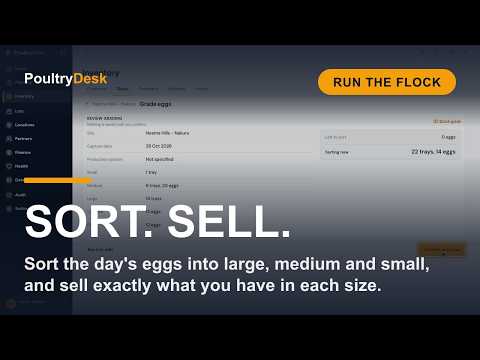 Watch: Lesson 7Grade eggs and sell sorted stockPlay here (2:10)
Raising layers
Track a layer Lot from placement to final depopulation.
Before you start
Create the site and houses, then confirm birds received.
Place the lot
- Open Layers > New placement and pick site and house.
- Enter birds, breed, placement date and age in days. Point-of-lay pullets are commonly 112-126 days; leave age blank only for day-olds.
- Keep the Recommended schedules you want; schedules with nothing left for an older flock are not offered.
- Check housing system and submit.
Daily flock records
- Eggs: record Full day or Morning/Afternoon, then review and confirm.
- Mortality: add deaths; Edit recorded total corrects a day's total with a reason.
- Weight: use Record weight or Growth > + Record weight. Enter each bird's grams separated by commas. Each submission is a new sample.
- Feed: enter kg, check item and review. Use Feed Edit for reasoned corrections, or Not fed for intentional zero. This stops generation that day.
- Count: use Lot actions > Reconcile count for a physical count difference.
Today so far describes today even when recording an earlier day. Feed corrections and Not fed need checked history and synced queued decisions; Retry Feed state checks an unavailable read. Additional feed can queue offline.
Record the egg round one flock at a time

- Open Lots > Egg round, choose Farm, Lot and date. Add more flocks with the Lot picker if needed.
- Expand a flock using
>. - Choose Full day, or Morning and Afternoon. Enter Trays, Loose eggs and Damaged. One tray is 30 eggs. Count damaged eggs separately, not inside the trays and loose eggs.
- Check the usable day total, then Review entry and confirm.
- Choose Next lot to continue.
Full-day and split-period entry cannot be mixed. Existing periods are read-only; Edit or double-click to correct with a reason. Use Production to open an earlier date. Corrections keep the original history.
Collections enter the farm's Unsorted pool when Inventory is available: the usable trays and loose eggs, not the damaged ones. Do not receive them again as stock. Grading pools eggs from the farm's flocks; stock totals distinguish ungraded, graded and withheld eggs. After you save a collection, a note under the form says the eggs are waiting to be sorted, or that they can be sold as they are if your farm sells unsorted eggs; Sort eggs opens grading for that farm. A queued collection can be sorted once it has synced.
Backfill missed Feed days
Use Feed round > Historical for up to 31 days. Preview birds, phase, estimated quantity, stock and cost; confirm online. Historical scope is separate from Manual capture filters. Manual entries can queue once their selected day's context has loaded.
Record treatments under Health. Egg withdrawal keeps treated collections outside saleable stock.
Review the flock Overview
Check birds alive, eggs today, hen-day rate and mortality. Record eggs appears for an open flock in production. The 30-day trend shows missing days as gaps and recorded zero as 0%; View production opens the daily history.
Today's targets shows the breed guide's figures for the flock's age: brooding temperature, humidity, hours and brightness of light and target weight. From week 17 it also shows the average weight the flock must reach before you raise the light (Hy-Line Brown 1.35 kg; ISA Brown and Bovans Brown 1.25 kg).
- Hy-Line Brown: temperature for cage or floor housing, from the house's housing system.
- Lohmann Brown: the Lohmann cage guide's temperature for every housing system.
- ISA Brown and Bovans Brown: floor-rearing temperature only, so caged flocks show humidity, light and weight without a temperature.
The i button names the source.
Review historical registers
Use date/type filters and Previous / Next on Production, Feed, Health and Events. Clear all resets the current register; switching tabs clears its filters. Feed distinguishes Actual, Estimated, Not fed and Missing; grouped missing ranges open capture on the most recent missing day. Events holds mortality, placement and depopulation, with links to Audit.
Track growth against the breed standard
Open Growth after recording weights. Supported breeds show a target by age in weeks alongside sample averages, uniformity and point-of-lay guidance. Other breeds show your samples without a target. Guidance never blocks capture.
Grading
Open Inventory > Stock > On hand > Eggs > Grade eggs for the farm. Split ungraded eggs into grades and, if relevant, production systems. The total cannot exceed ungraded stock. Grading adds saleable stock; production remains reported by flock without inventing origin after mixing.
Correct a placement
Enter corrected total birds placed, not the difference. Keep unchanged optional date, Site, House, breed and housing system values. Add a reason of at least 10 characters and Save correction; it can queue offline. Closed Lots and counts below birds already removed cannot be corrected.
Depopulate the flock
Open Lot actions > Depopulate. Enter this batch's birds sold (live), culled and died. Sold birds become spent-hen stock where Inventory is tracked. The Lot closes automatically only when none remain.
Record the sale at the same time
Tick Record the sale now to add customer, price, currency and payment method. If the sale fails, depopulation still saves: fix and retry the sale only, or record it in Finance. Retrying does not depopulate again.
Depopulate only part of the flock
Partial removal is the default. Enter only this batch; the remaining flock continues laying and feeding. Tick Reconcile remaining birds as unaccounted (full depopulation) only when ending the entire flock and writing off the unexplained remainder.
Close out the lot
Choose Close out lot after all birds are accounted for. Live birds block closeout; add an optional reason.
What you get
Overview, Growth, Production, Feed and Health show the flock's performance and history. Inventory holds the farm's egg pools; Audit holds every change.